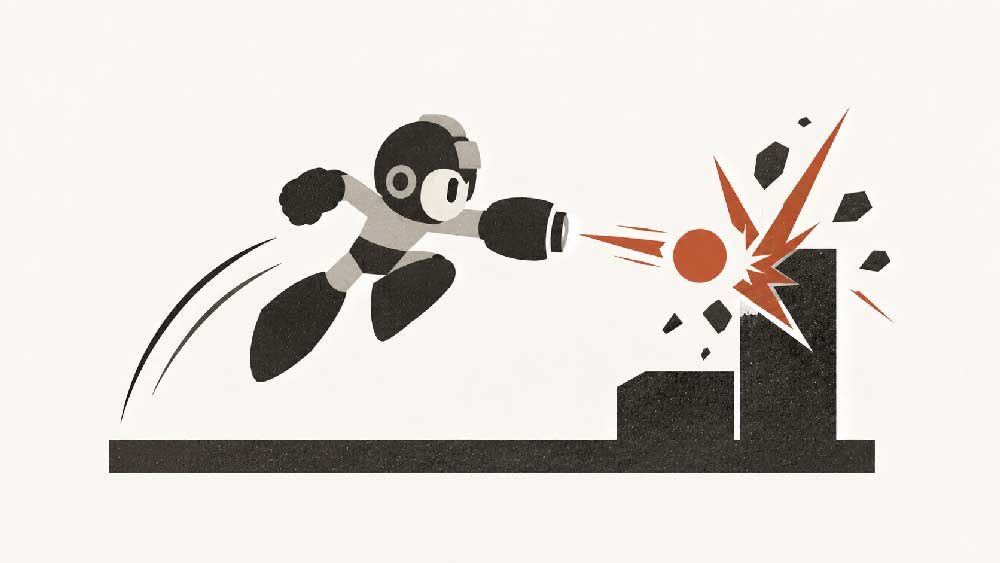
You’re sitting in your living room, pressing a button. But what you feel is a sword connecting with a monster deep in a dungeon.
How do game devs turn a button into a sword?!
A huge part of the answer is game juice: the layers of feedback that give an action weight, energy, and consequence. A flash when your sword connects. A few frames of stillness at the moment of impact. The monster recoiling, the camera shaking, dust settling around its feet.
These details can be the difference between a game that feels bad and one that feels great—even when the underlying mechanics are the same.
The strange thing is that this work is often invisible. You see the sparks, but you don’t necessarily notice their timing. You feel the force of a hit without realizing how many carefully coordinated effects made it convincing. When everything works together, you stop thinking about the button and start feeling the action.
That apparent simplicity hides an enormous amount of craft. How long should a flash last? How far should the camera move? When should the animation pause, and when should it resume? Each detail needs to support the action without overwhelming it.
The examples below pull some of those layers apart. Tap a demo or its Effect on button to see the same moment without the effect. Sometimes the best way to understand juice is to take it away.
Impact
The first layer is what happens right where the action lands.
- Particles (Impact, On landing): Dust, sparks, debris, smoke, and splashes triggered by actions.
- Impact flashes (Impact, On hit · 3 frames): Brief bursts of light or color when a hit connects.
- Shockwaves (Impact, On blast): An expanding ring that ripples outward from an explosion or heavy landing.
Camera & time
Moving the camera, or bending time, makes a hit feel heavy.
- Camera shake (Camera & time, On impact · 0.5 s): Short camera jolts that emphasize hits, explosions, or collapsing environments.
- Camera zoom punch (Camera & time, On big hit · 0.4 s): A quick push-in and settle on a big hit. The frame scales instead of jolting.
- Camera lead and lag (Camera & time, While moving): The camera trails behind the player and eases to catch up, or looks ahead in the direction of travel.
- Hit stop (Camera & time, On hit · 3–6 frames): The action freezes for a few frames at the moment of impact, so the hit feels heavy.
- Slow motion (Camera & time, On near miss): Time briefly stretches on a finishing blow or a near miss.
- Directional kick (Camera & time, On shot · 0.15 s): The camera is shoved a few pixels against the direction of force, then springs back, so every shot has weight and a direction.
Character
How the character moves and reacts tells you how much force was involved.
- Motion trails (Character, While dashing): Afterimages, speed lines, and wind streaks that communicate movement.
- Character reactions (Character, On hit): Recoil, knockback, squash and stretch, and exaggerated poses.
- Invincibility blink (Character, After damage · 1–2 s): The character flickers after taking damage to show they can’t be hit again yet.
Screen & light
Changes across the whole frame show intensity without adding a single object.
- Screen effects (Screen & light, On damage): Vignettes, brief color washes, distortion, or blur during intense moments.
- Dynamic lighting (Screen & light, On shot / blast): Muzzle flashes, explosion glow, and other temporary light changes.
World
When the environment reacts and remembers, the world feels solid.
- Animated surroundings (World, Near the player): Grass swaying, objects wobbling, or nearby debris reacting to the player.
- Decals and leftovers (World, After the action): Scorch marks, cracks, footprints, and shell casings that stay behind after the action.
- Destruction (World, On break): Crates and walls break into pieces that fall and settle.
Feedback & UI
Numbers, warnings and HUD reactions make the game state easy to read.
- Floating numbers and text (Feedback & UI, On hit): Damage values, “+10”, or “CRIT!” pop up, drift, and fade.
- Telegraphs (Feedback & UI, Before an attack): A warning flash, a ground marker, or a wind-up glow before an attack lands.
- UI reactions (Feedback & UI, On value change): The health bar drains with a delayed ghost bar behind it, counters tick, and icons bounce when they change.
- Pickup feedback (Feedback & UI, On collect): Coins fly toward the player, pop, and sparkle as the counter bumps.
Everything at once
One jump that stacks effects from every category. Switch it off to see the same jump with no feedback at all.
- Everything at once (Combined, Run · jump · slam): One jump carrying effects from every category: grass that bends, footstep dust and afterimages on the run, squash and stretch, a landing marker, then hit stop, a flash, a shockwave, camera shake with a zoom punch, a screen wash, a burst of dirt and clippings, floating text, and cracks that stay. Switch it off to see the same jump bare.
- Combo finisher (Combined, Jab · jab · jab · finish): Three jabs and a finisher: hit stop, impact flashes, sparks, damage numbers, knockback and an enemy health bar with a ghost behind it, then a big shake, a zoom punch, a white wash and coins that fly to you. Switch it off for the same four punches, bare.
- Taking a hit (Combined, Charge · fire · hit): An enemy charges and fires twice in the dark: a warning, fireballs that light the scene, an explosion, knockback, a red wash, a heart that pops off, a scorch mark, and invincibility so the second shot passes through. Switch it off and both shots land.
These examples are only a small part of what goes into making a game feel good. There are countless more details, and much of the craft lies in how they work together. A satisfying moment might combine animation, particles, lighting, camera movement, and a tiny pause—all timed around a single impact.
And there’s a whole dimension these demos don’t capture: sound.
What you hear is just as important as what you see, and sometimes even more important. Music sets the emotional tone. Ambient sounds give a place depth and presence. Footsteps tell you what’s under your feet. Splashes, echoes, rustling leaves, and the scrape of a blade make the world feel tangible and complete.
Even a single sword strike can contain several layers of sound: the swing through the air, the sharp contact, a deeper impact, the monster’s reaction, and the echo fading into the dungeon. Together with the visual effects, they turn a simple input into something you can feel.
Juice feels so natural, so familiar, that it becomes invisible. Yet its absence is impossible to ignore. Like breathing.
This post supplements my talk at the Claude Community event at Xsolla Club for Indie Game Developers in Tel Aviv, where I shared how I add game juice to my own game.